
Recurring events create multiple instances of the same event on different dates and times.
Below are some steps you can take if you run into trouble creating or managing recurring events.
Flush permalinks
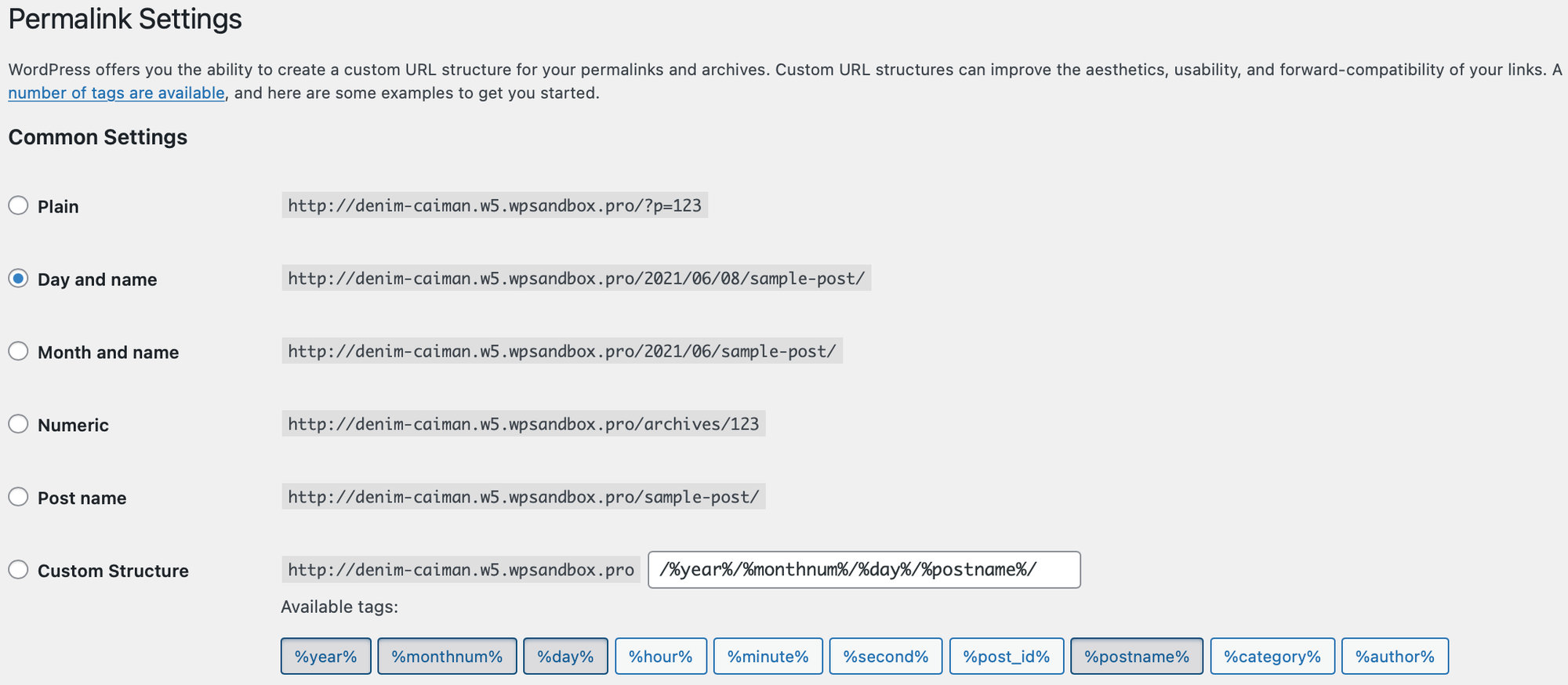
The first thing you can try is to flush your permalinks. To do this, head to WordPress Settings → Permalinks and click Save Changes. Be sure you’re using one of the “pretty permalinks” options and not “plain”.
Date format settings
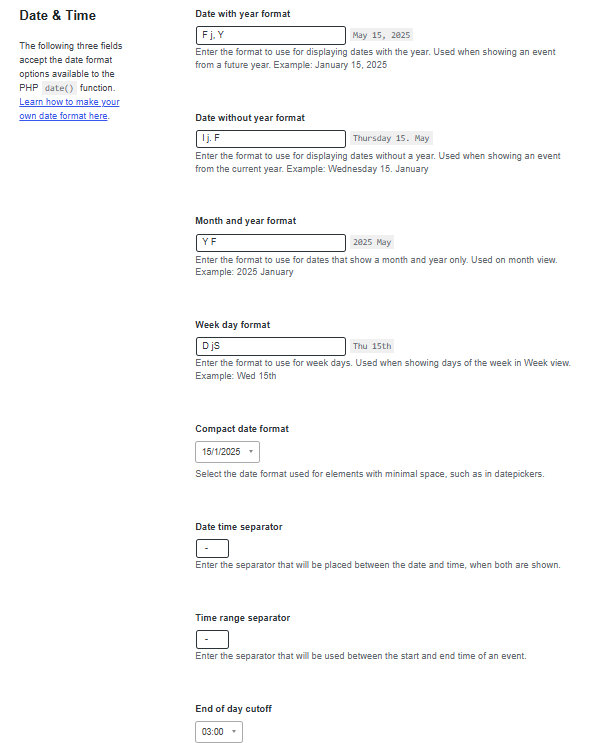
Head over to Events → Settings → Display → Date & Time and check out your date format settings. If you have recently changed any of the date or time separators, or the Compact Date Format, try changing those back to the default for now.
Events Calendar Pro license
Make sure that your Events Calendar Pro license is installed and activated properly. Without Events Calendar Pro, the recurring events feature is disabled. You can check that you have a valid license on your site under Events → Settings → Licenses.
Final steps
If you’re still having issues with your recurring events, we’d recommend testing for conflicts to see if there is a plugin or theme causing an issue on your site.