
The message “Sorry, you are not allowed to upload this file type” appears when you try to upload a file with an extension that WordPress, by default, may not allow.
For a list of the file extensions allowed by WordPress, see: WordPress Codex: Uploading Files
Editing the wp-config.php File
To allow file extensions outside the defaults, you’ll want to edit the wp-config.php file for your WordPress site. This is usually found in the public_html folder.
Next, add the following above the line ‘That’s all, stop editing! Happy publishing.‘
define('ALLOW_UNFILTERED_UPLOADS', true);
After saving the file, you should be able to upload the desired file.
Security Considerations
For security reasons, it is recommended to remove the ALLOW_UNFILTERED_UPLOADS line from the wp-config.php file after you have uploaded the necessary files. If you need to upload more files in the future, you can add the line again.
Additionally, it is important to:
- Limit Allowed File Types: Only allow the upload of essential file types. Set a maximum file size for uploads to prevent excessively large files.
- Install a WordPress Security Plugin: Use a WordPress security plugin to monitor your site for vulnerabilities and regularly scan for any malicious code.
- Restrict File Uploads for Non-Registered Users: Limit file uploads to only the necessary file types for non-registered users, using a file upload form to manage this.
Allowing Specific File Types
Alternatively, you can use a code snippet to exclusively allow a specific file type, such as SVG files, without enabling unfiltered uploads:
/**
 * Function to change the allowed mime types
 *
 * @param  array $mimes Allowed mime types.
 * @return array Updated mime types list.
 */
function my_custom_mime_types($mimes) {
    // Add new allowed mime types.
    $mimes['svg'] = 'image/svg+xml';
    $mimes['svgz'] = 'image/svg+xml';

    return $mimes;
}

add_filter('upload_mimes', 'my_custom_mime_types');
This approach allows you to selectively enable specific file types without compromising the overall security of your WordPress site.
The File Upload Types by WPForms Plugin
The File Upload Types by WPForms plugin is an alternative solution to the manual methods mentioned above. This plugin allows you to easily add support for additional file types in WordPress without modifying the wp-config.php file. The plugin provides a user-friendly interface in the WordPress admin dashboard, where you can specify the file types you want to allow (including custom file types).
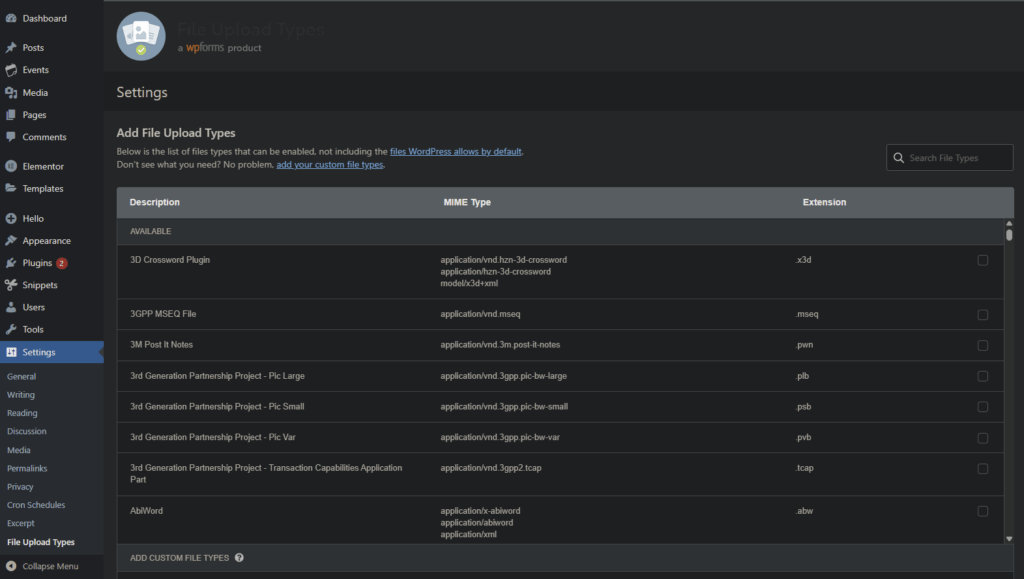
Using the File Upload Types by WPForms plugin can be a convenient way to manage file type restrictions in WordPress, especially if you need to allow multiple file types or frequently change the allowed file types. However, it’s still important to consider the security implications carefully and only allow the necessary file types for your website.
By following these guidelines, you can effectively address the “Sorry, this file type is not permitted for security reasons” error in WordPress while maintaining a secure and well-managed website.