
Normally when a user clicks any event title on a calendar view or widget, the link takes them to that event’s page. With this snippet, you can adjust that behavior so that clicking an event title from a calendar view takes the user right to the Series landing page, where they can view all events in a Series. They can still reach the individual event pages by clicking on the event title on the Series page.
This snippet will change the link for all events on your site that are in a Series. Any event that is not in a Series will link to the event page like usual. If you want to link to the Series page from only some of your events, you can use a redirection plugin as described in this article.
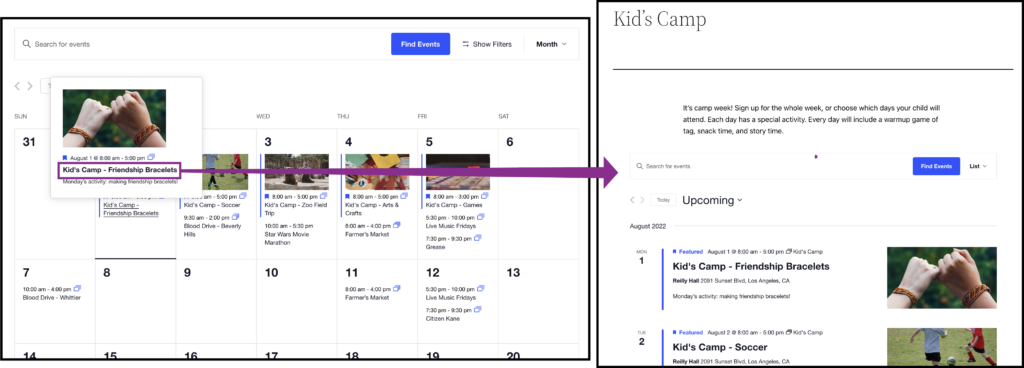
Let’s take a look at how to do it below.
Series page snippet
You should add the following snippet using the Code Snippets plugin, rather than placing it in your theme’s functions.php file. This method ensures better compatibility. Note that this will change the behavior for all events in Series on your calendar.
add_filter( 'tec_events_pro_custom_tables_v1_redirect_event_link_to_series', '__return_true' );