
When importing attendees into your event, you’ll need to upload a CSV file containing the relevant data. One of the critical columns in this file is called “ticket_name.” This column can accept either the ticket name or the ticket ID to match attendees with the correct ticket.
Using Ticket ID for Attendee Import
If you prefer to use the ticket ID to specify which ticket each attendee should be assigned to, you can find the ticket ID on the Event’s Attendees Page. This ID is associated with the specific ticket within the event.
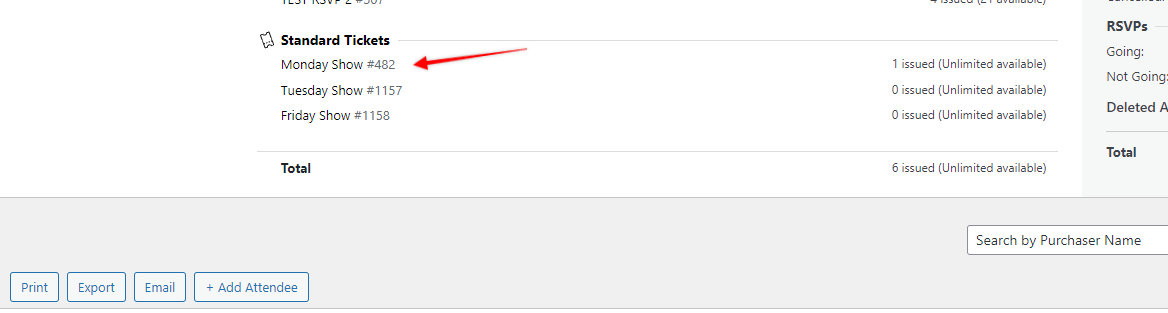
For example, if the ticket ID is 482 and the ticket name is “Monday Show” your CSV file should include this information as shown below:

Note: If you’re going to use the ticket name, make sure that it matches the name of the event’s attendee page (see the first screenshot).