
If you need to change the birth date format in Event Tickets Plus to display as day/month/year (DD/MM/YYYY) instead of the default format (month/day/year), you can do so by creating a template override. This process requires some basic PHP/HTML knowledge and the use of a Child Theme.
If you’re comfortable with these, follow the steps below:
To modify the birth date format, override the default template file. Navigate to the following directory in your WordPress installation:
/wp-content/plugins/event-tickets-plus/src/views/v2/components/meta/Locate the file birth.php, then copy and paste it into your theme’s directory, maintaining the following structure:
[your-theme]/tribe/tickets-plus/v2/components/meta/birth.phpIf the tribe/tickets-plus/v2/components/meta/ folders do not exist in your theme, create them manually.
Open the copied birth.php file in a text editor and locate line 48, where the birth date format is defined. Swap the placement of the month and day as shown below to ensure the format is DD/MM/YYYY.
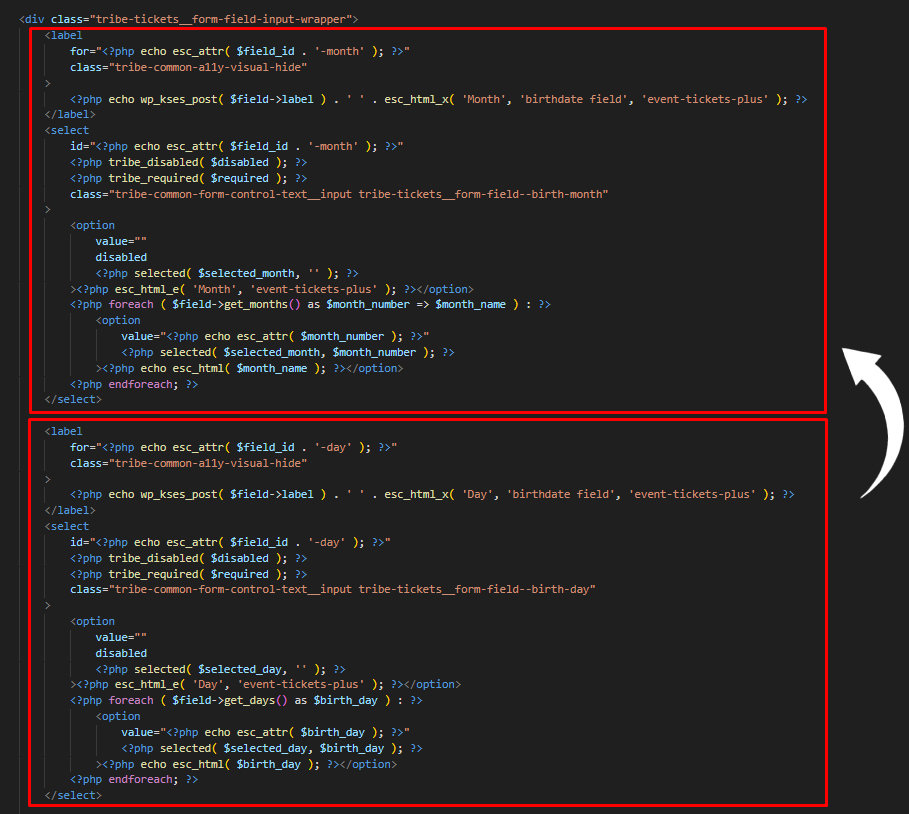
After making the necessary changes, save the modified birth.php file. You should have the following results below:

Important Notes
This customization applies only if you are using the Birth Date field in your Attendee Information settings as shown below:
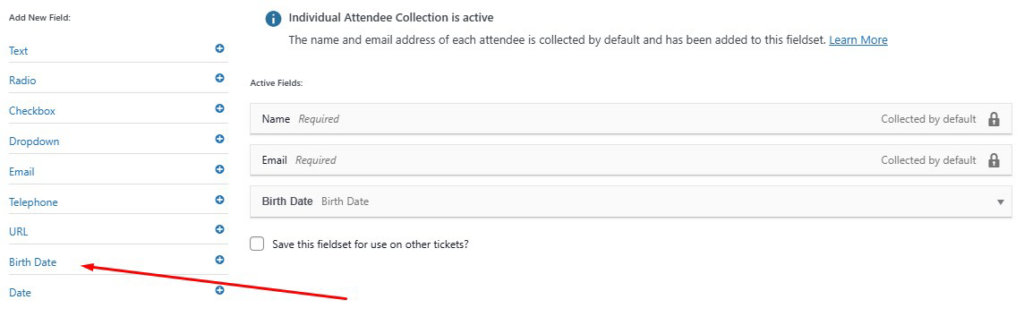
Moreover, please ensure you’ve added the birth.php file in your Child Theme; otherwise, your changes might be lost when updating your theme.