
If you need attendees to agree to your terms and conditions before completing registration, Event Tickets Plus makes it simple using the built-in Attendee Information feature. This approach requires no custom coding and integrates directly into the ticket registration flow.
Prerequisites
- The Events Calendar plugin (optional)
- Event Tickets Plus (the free Event Tickets plugin does not support Attendee Information)
- A published ticket on any event or post type
Step-by-Step Guide
- Edit Your Ticket
- Go to the event or page where your ticket is published.
- Click Edit on the ticket you want to add the checkbox to.
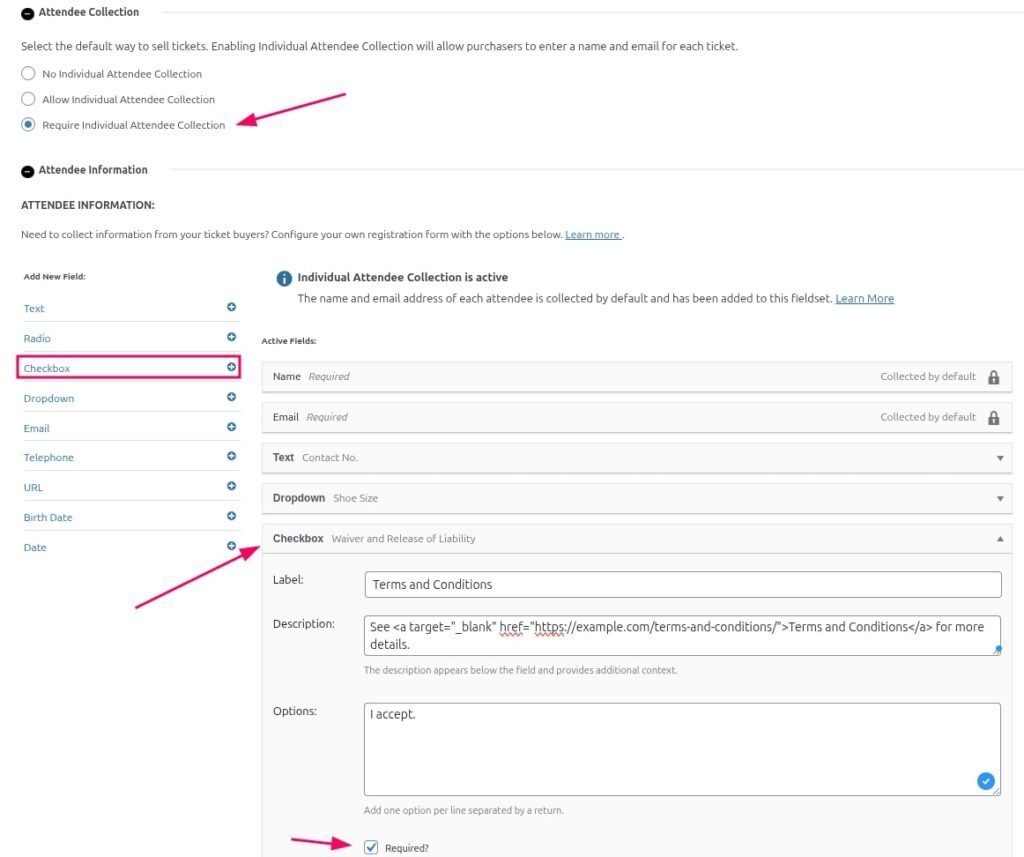
- Enable “Require Attendee Collection” under the Attendee Collection section.
- Enable Attendee Information
- Scroll down to the Attendee Information section.
- Click Add Fieldset.
- Enter a label like Terms and Conditions.
- Add a Checkbox Field
- Set the Field Label to something like:
Terms and Conditions - (Optional) Include a link in the label to your full terms in the Description area, such as:
See <a href=”https://example.com/terms-and-conditions/” target=”_blank”>Terms and Conditions</a> for more details.
- Set the Field Label to something like:
- Make It Required
- Check the Required box to ensure attendees cannot complete registration without checking the box.
- Save and Update the Ticket
- Save the fieldset.
- Update the event or page to apply changes.
What the Attendee Will See
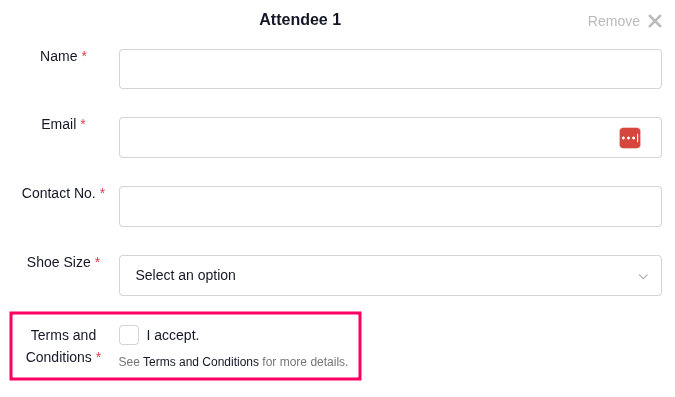
When a visitor selects a quantity of tickets and clicks Get Tickets, the form will display the checkbox along with any other attendee fields you’ve created. They must check it before submitting the form.
Best Practices
- Use clear, concise language for the checkbox label.
- Link to your actual terms or waiver page, so attendees can review it before agreeing.
- For legal compliance, ensure the wording of your terms matches any organizational or regional requirements.