
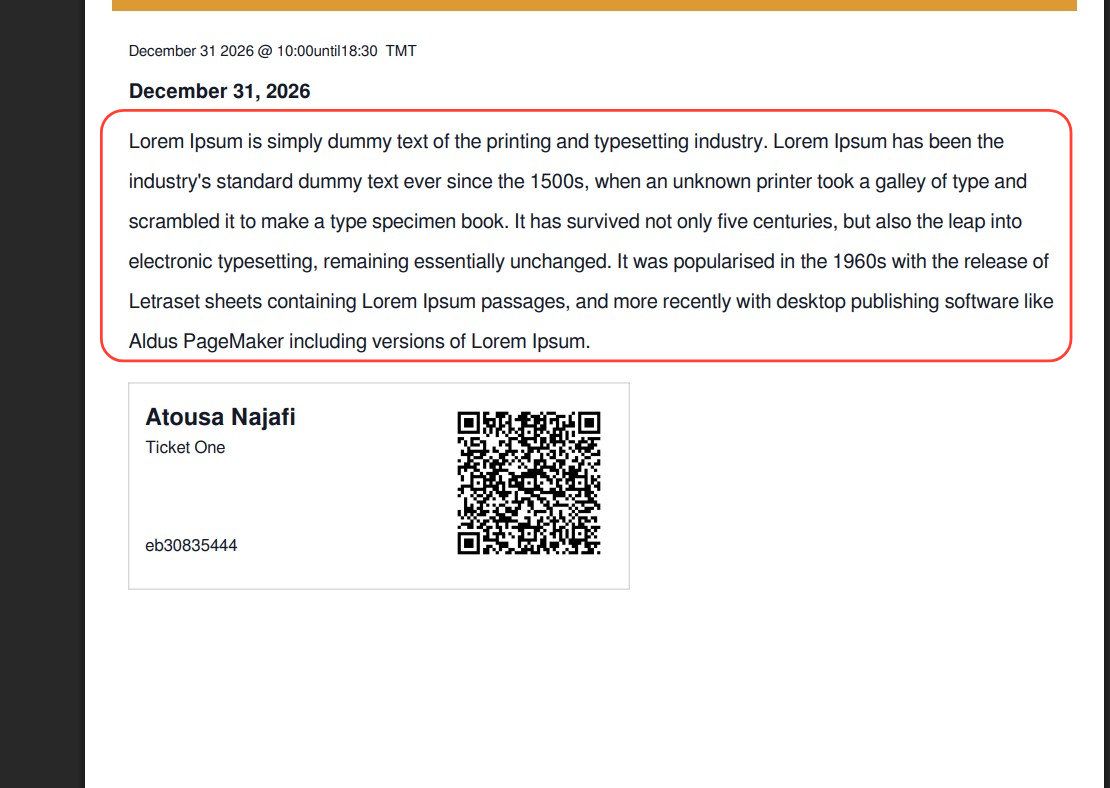
By default, Event Tickets Plus generates PDF tickets without including the event description. However, with a template override and a snippet of code, you can display the description under the event title.
The plugin’s default PDF layout loads certain template parts—such as the event title, ticket info, and sidebar—but does not include the event content (i.e., description) within the PDF body.
Step-by-Step: How to Show the Description Below the Title
- Locate and copy
post-title.phptemplate file in the plugin directory:/wp-content/plugins/event-tickets-plus/src/views/tickets-wallet-plus/pdf/pass/body/ - In your child theme directory, create the following path and place the copied file:
[your-child-theme]/tribe/tickets-wallet-plus/pdf/pass/body/ - Open the file in a text editor and add the following code just after the
</tr>tag:
<tr style="font-weight:normal;">
  <td>
    <?php echo esc_html( $post->post_content ); ?>
  </td>
</tr>
Save the file and ensure you clear any caching mechanisms in place. The description should now appear in the generated PDF tickets, typically below the event title:
How It Works
Event Tickets Plus uses four template files (styles.php, header.php, body.php, and footer.php) to generate PDF tickets. By creating overrides in your theme, you gain control over these templates and can inject custom content like the event description
Here is a guide for customizing the PDF ticket template files: Customizing PDF Ticket Styles
Tips
Ensure your child theme path matches exactly:tribe/tickets-wallet-plus/pdf/pass/body/post-title.php
If changes fail to reflect, remember to clear cache and verify your directory structure.