
If you’re using WooCommerce alongside the Event Tickets Plus plugin, you might have noticed a common challenge when managing Ticket Products. When multiple events offer tickets with the same name, such as “General Entry,” it can be challenging to quickly identify which ticket belongs to which event in the WooCommerce Products list.
To improve this experience, you can add a new column to the product table in your WordPress admin. This short guide walks you through how to implement this enhancement with a simple code snippet.
Why Add an “Event Title” Column?
By default, all ticket products appear under the Products tab in WooCommerce. When ticket names are reused across events, it becomes time-consuming and confusing to identify which event each ticket belongs to.
Adding an Event Title column:
- Makes it easy to link ticket products to their respective events at a glance.
- Reduces confusion when managing tickets with the same name.
- Improves backend organization and saves time during product management.
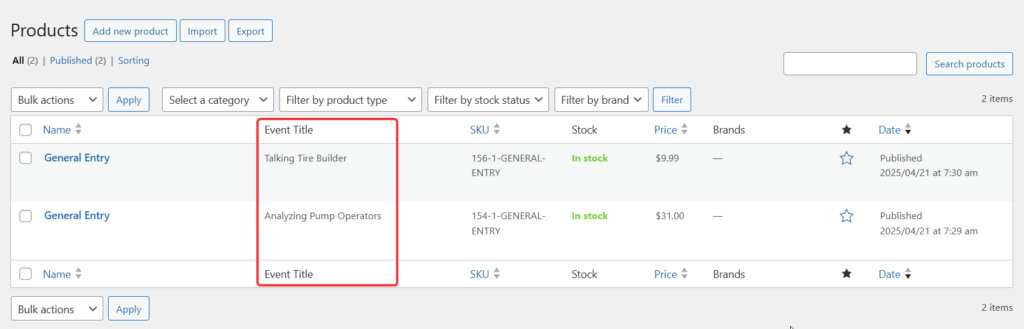
Here Comes the Snippet
Add the following code to your site, and you’ll see the event title appear right next to each ticket title:
Add the code snippet to the functions.php file of your theme, or use your preferred method for integrating snippets into your WordPress site, such as the free Code Snippets plugin.