
When using Event Tickets Plus with WooCommerce as the payment gateway, each ticket created becomes a WooCommerce product listed in the WooCommerce shop and is referred to as Ticket Product. However, by default, no featured image is assigned to the ticket product. As a result, the fallback thumbnail will be used in the shop and the cart.
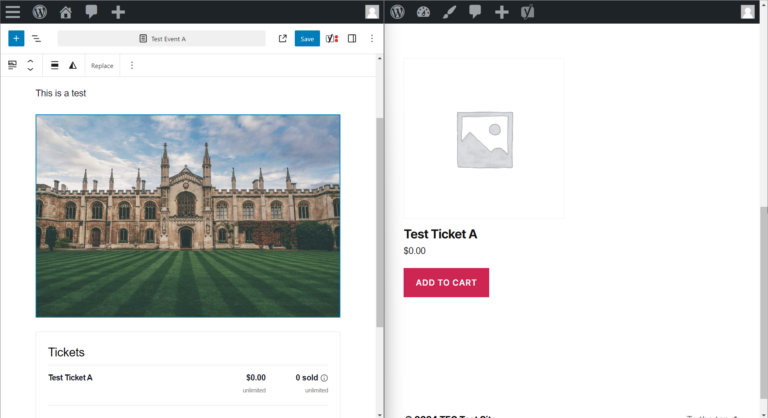
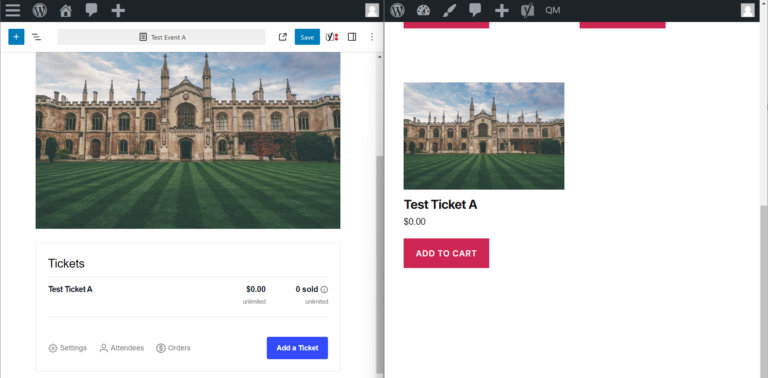
As tickets are frequently associated with events, it is desirable for the featured image of an event to be automatically assigned to a WooCommerce product created for the event’s tickets. This can be accomplished by adding the following PHP snippet to the site.
Add the code snippet to the functions.php file of your theme, or use your preferred method for integrating snippets into your WordPress site, such as the free Code Snippets plugin.
By automatically assigning the event’s featured image to WooCommerce ticket products, time is saved by eliminating the need for a site editor to assign featured images to all created tickets manually.
Optional: Embed a Script via Gist (Not Recommended for Production)
If you prefer using a Gist embed (e.g., for demo purposes), you can paste the following snippet into your theme’s footer or header:
function ticket_featured_image_custom() {
    ?>
        <script src="https://gist.github.com/chikaibeneme/176fed6163451db6795665460a7e3e6d.js"></script>
    <?php
}
add_action('wp_head', 'ticket_featured_image_custom');
⚠️ Note: This method loads an external script and is not recommended for production use due to performance and security considerations
Notes
Originally written in April 2024. Updated in May 2025.
Tested with:
- The Events Calendar 6.13.1
- Event Tickets 5.23.1
Author: Chika Ibeneme