
Note: This workaround is valid for Tickets only and not for RSVPs. Individual Attendee Collection (IAC) should also be set to Allowed or Required.
By default, the attendee registration module has a single field to collect the full name, which isn’t always the desired behavior, as separate fields for first and last names are often needed. Here’s how this can be achieved:
1. Create a new Text type attendee information field labeled Last Name,
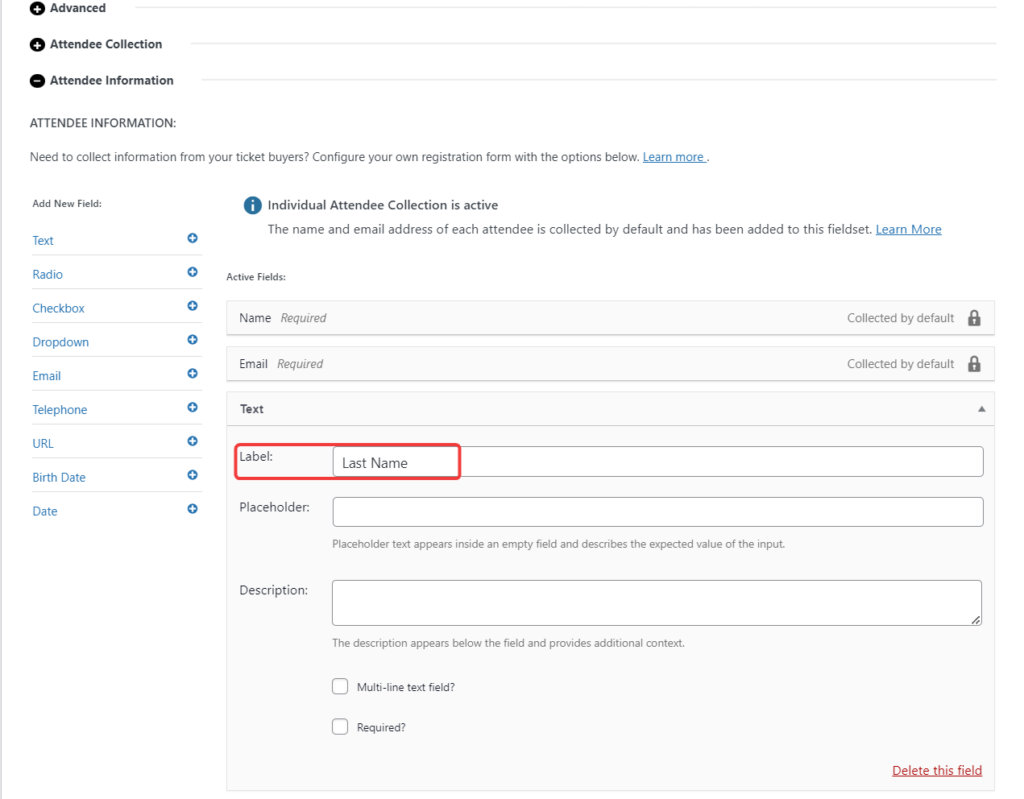
2. Add the following snippet to your site to rename the Name field to First Name,
add_filter( 'tribe_tickets_plus_attendee_registration_iac_fields', function ( $fields ) {

$fields['name']['label'] = 'First Name';

return $fields;
} );
This is what we have so far,

It’s not quite right as the newly added Last Name field needs to be placed right after First Name.
3. Add the following snippet to your site to reorder the fields,
add_filter( 'event_tickets_plus_meta_fields_by_ticket', function ( $fields ) {

	$emailIndex = array_search( 'tribe-tickets-plus-iac-email', array_column( $fields, 'slug' ) );
	$nameIndex  = array_search( 'tribe-tickets-plus-iac-name', array_column( $fields, 'slug' ) );

	if ( $emailIndex !== false && $nameIndex !== false ) {
		$lastNameIndex = array_search( 'last-name', array_column( $fields, 'slug' ) );
		if ( $lastNameIndex !== false ) {
			$lastNameField = $fields[ $lastNameIndex ];
			unset( $fields[ $lastNameIndex ] );
			array_splice( $fields, $emailIndex, 0, array( $lastNameField ) );
		}
	}

	return $fields;
}, 20 );
The fields should now be in the correct order,
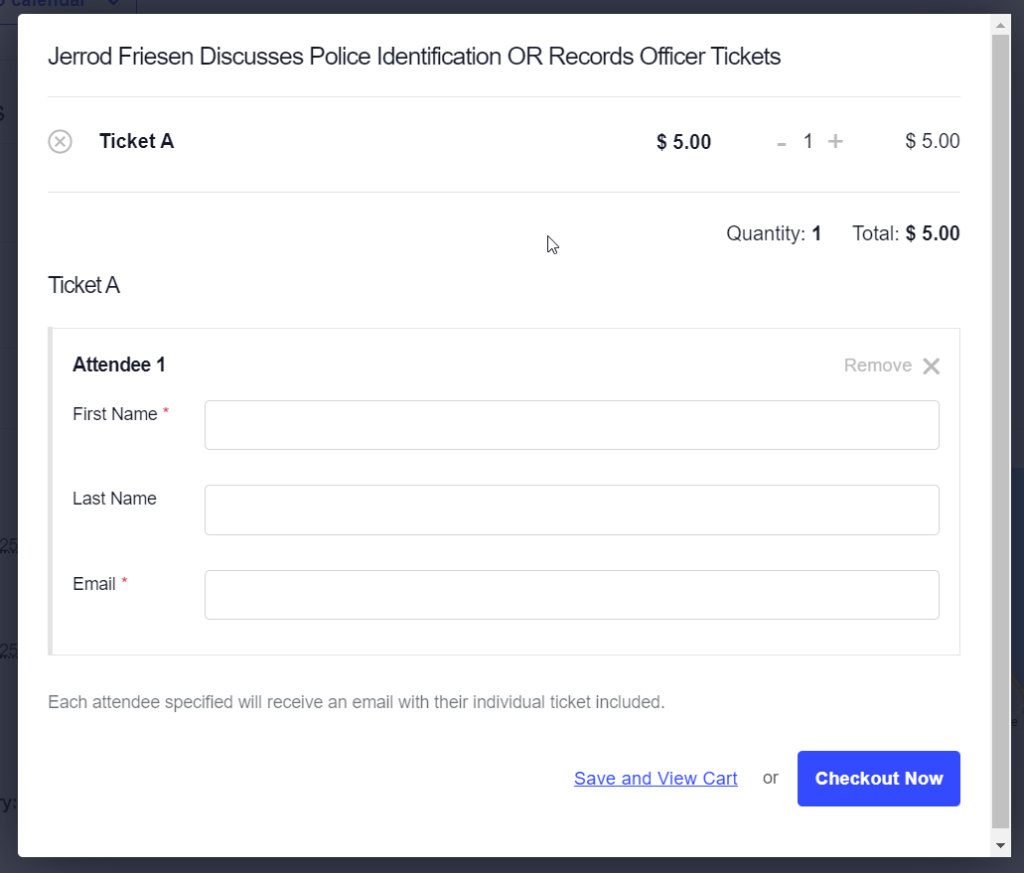
4. At the backend, the Last Name isn’t automatically displayed conveniently; however, this can be solved with, you guessed it, a PHP snippet,
add_filter( 'manage_tribe_events_page_tickets-attendees_columns', 'add_last_name_column' );
add_filter( 'tribe_events_tickets_attendees_table_column', 'populate_last_name_column', 10, 3 );

function add_last_name_column( $columns ) {
	$new_columns = [];
	foreach ( $columns as $key => $title ) {
		$new_columns[ $key ] = $title;
		if ( $key === 'primary_info' ) {
			$new_columns['last_name'] = 'Last Name';
		}
	}

	return $new_columns;
}

function populate_last_name_column( $value, $item, $column ) {
	if ( $column === 'last_name' && ! empty( $item['attendee_meta']['last-name'] ) ) {
		if ( is_array( $item['attendee_meta']['last-name'] ) ) {
			return ! empty( $item['attendee_meta']['last-name']['value'] ) ? $item['attendee_meta']['last-name']['value'] : '';
		} else {
			return $item['attendee_meta']['last-name'];
		}
	}

	return $value;
}
Last Name should now be displayed in a dedicated column at the backend, next to the primary info column with First Name and other attendee details,

While it is possible to add PHP code snippets similar to those provided in this article directly to the functions.php file, using a third-party plugin like Code Snippets is recommended.